

autocomplete multiple values
This block is part of the state ui group and was last modified in core v13.0.8.
Storage Selection Required
This block relies on a storage to perform its storage releated actions. You must manually select the storage you want to use in your flow using the storage selector modal. To access the modal, click the white button on the block.
Field Selection Required
This block relies on a field that you select to perform its data actions. You must manually select the field you want to use in your flow using the field selector modal. To access the modal, click the white button on the block.
autocomplete multiple values v13.0.8 Generates auto-complete select searching a storage and filling the state with the search-key. The field will be used as state key.
- form id required
valueA unique ID for the form this field is used in.
- storage field required
fielddefinitionsField to select and view within the given results.
- show searchbar
conditionEnables searchbar in the dropdown.
- query
queryA query to filter the data that can be found using this searchbox.
- rows
numberThe dropdown has this quantity of items in it, if it is lower than quantity found items load more button is shown. Default is 10.
- return fields
fielddefinitionsFields that will be returned during the search. Should be set if the data sent to the frontend should be limited due to confidential fields.
- class
uiclassAssigns a CSS class to the element. • Hidden when unused
- style
uistyleApplies inline CSS style to the element • Hidden when unused
- attributes
uiattributesAdds custom attributes to the element. • Hidden when unused
- state
stateReturns the element to the frontend state.
- Map Row
execute_functionThe function will be executed for each row and state pins can be returned to overwrite whats visible.
- Row Component
iteratestateThe component will be executed for every row and replace the default value. A
divshould be returned. The available parameters arerowandindex.
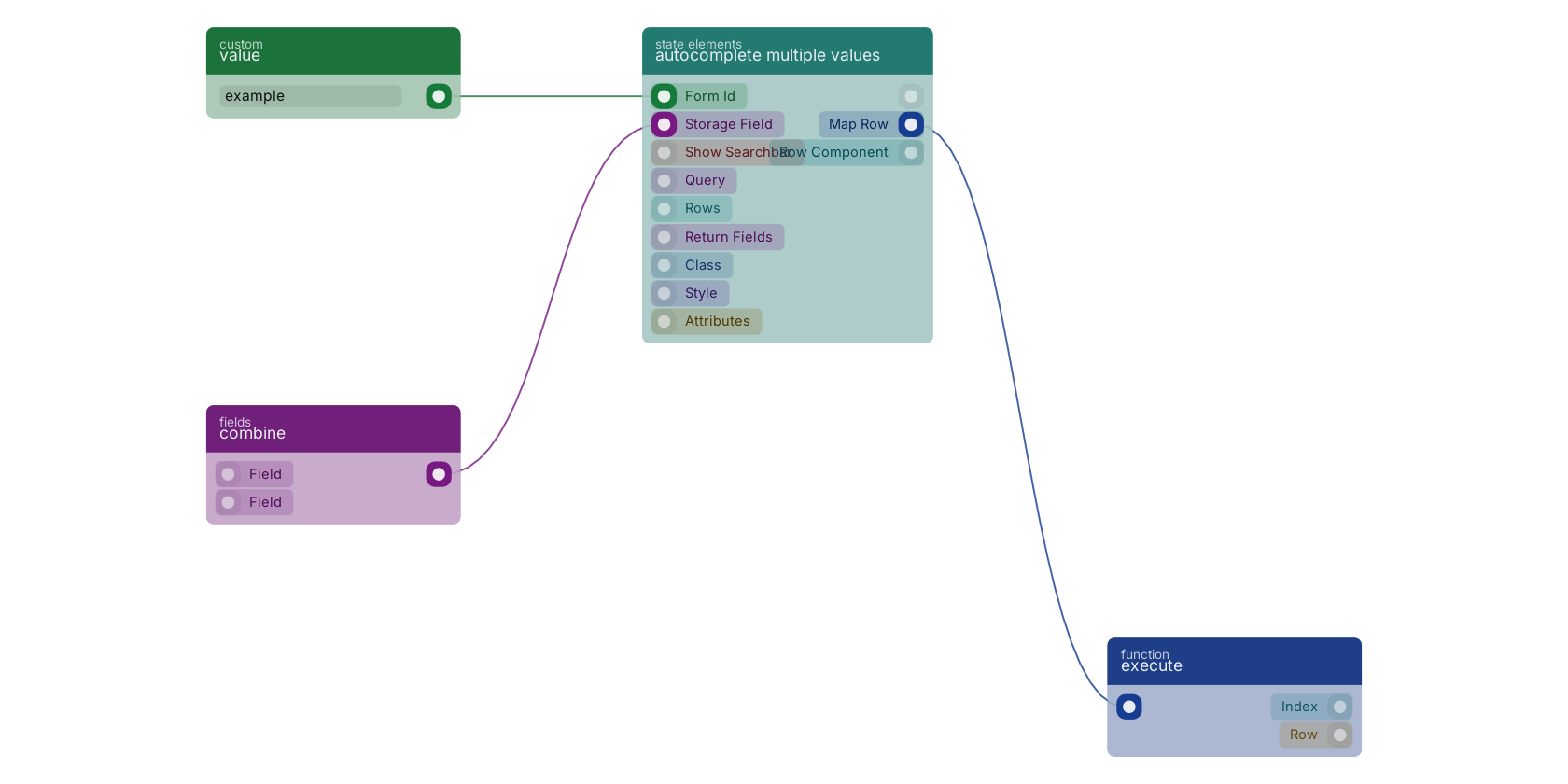
A typical wiring for autocomplete multiple values: value feeds the form_id pin; combine feeds the field pin; the function out pin wires to an execute block.
Version history
Introduced in v13.0.8.
Back to
state ui Return to the main group to view all sub-groups Back to state elements Return to the group to view all blocks within this group